Back to QMetry All Products Help Page
View Execution Logs
Execution Logs are provided on the test execution screen. It displays audit logs for the executions carried out.
1. Open the Test Cycle module and execute a test case. It opens the test execution screen.
2. After execution, click on the Execution Logs icon at top right corner.
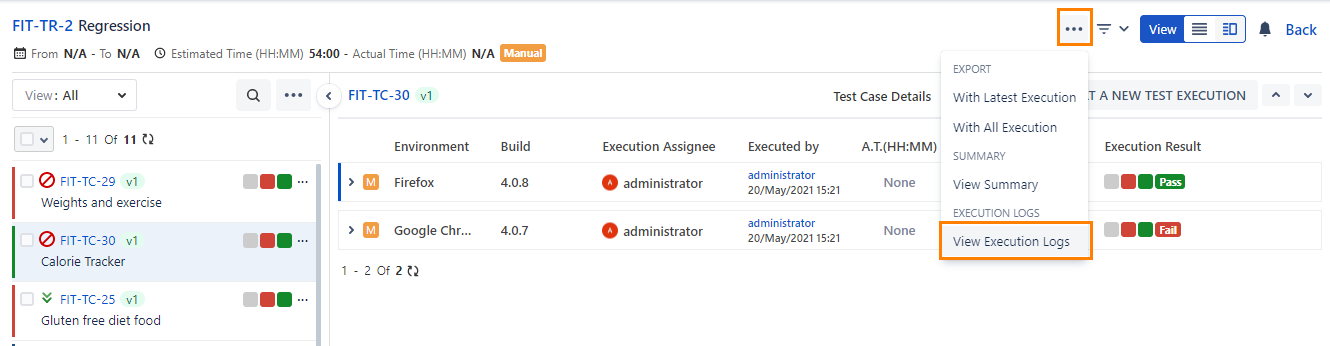
3. It expands the Execution Logs panel, wherein you can see the logs related to test case execution.

Back to QMetry All Products Help Page