/
How to Create/Edit/Delete custom Execution Results?
Back to QMetry All Products Help Page
How to Create/Edit/Delete custom Execution Results?
- Jatin Lala
- Mohammad Faizan (Unlicensed)
- Rachit Kacheria (Unlicensed)
- Reshma Padkil
Owned by Jatin Lala
Only project administrators can add, remove and update execution results.
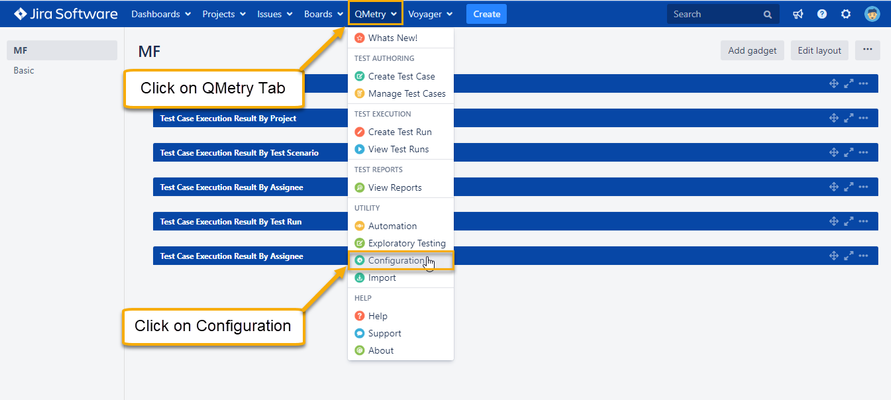
- To create Custom Execution Results, go to the QMetry >> Configuration.
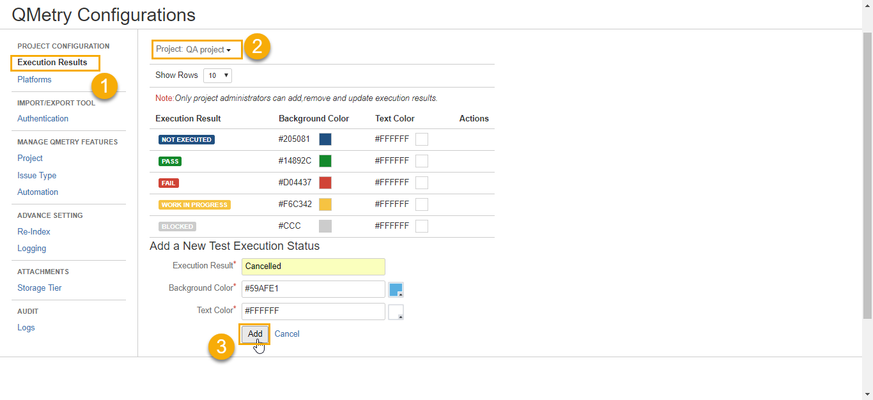
- Click on Execution Results (Project Configuration) >> Select your Project from the list
- Fill required information like Execution Result name, Background color, Text Color then click on Add button.
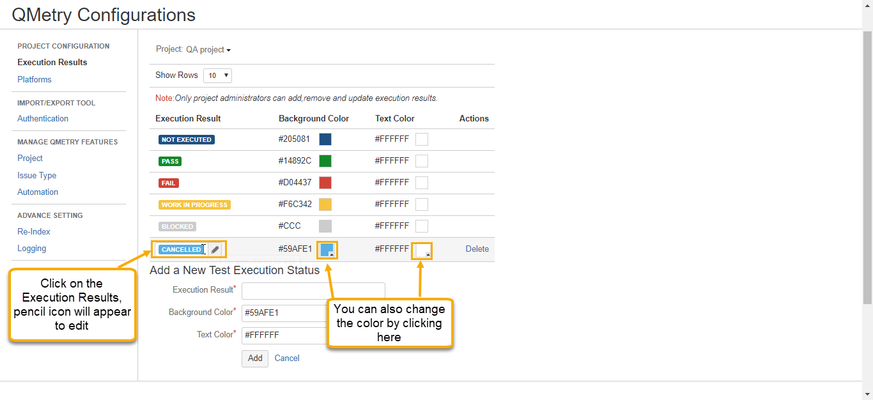
- To edit custom Execution Results, refer below screenshot.
- To delete custom Execution Results, refer steps in below screenshot.
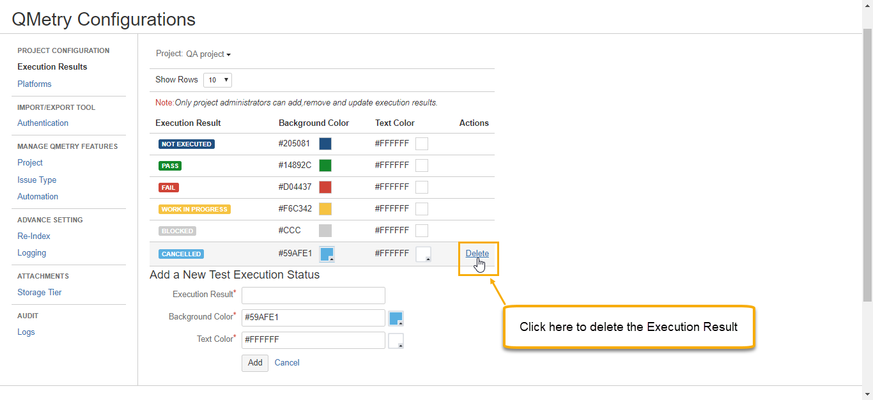
Note : You can not delete custom execution status if it is associated with any JIRA issues or entities. You need to delete those issues/entities first to delete custom execution status.
, multiple selections available,
Back to QMetry All Products Help Page