Back to QMetry All Products Help Page
How can I create Test case from Requirement?
There are two ways to do it.
Option 1:
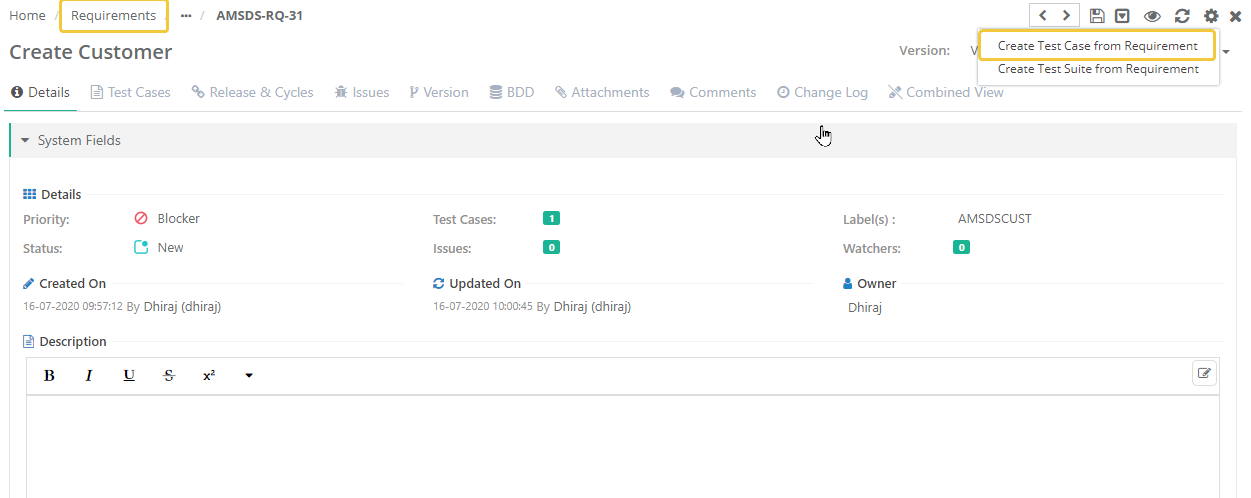
- Open Requirement
- Click on gear option
- Click on 'Create Test Case from Requirement'
- This will create a Test Case and auto link to the requirement.
Option 2:
- Open Requirement
- Open linked Test Cases section
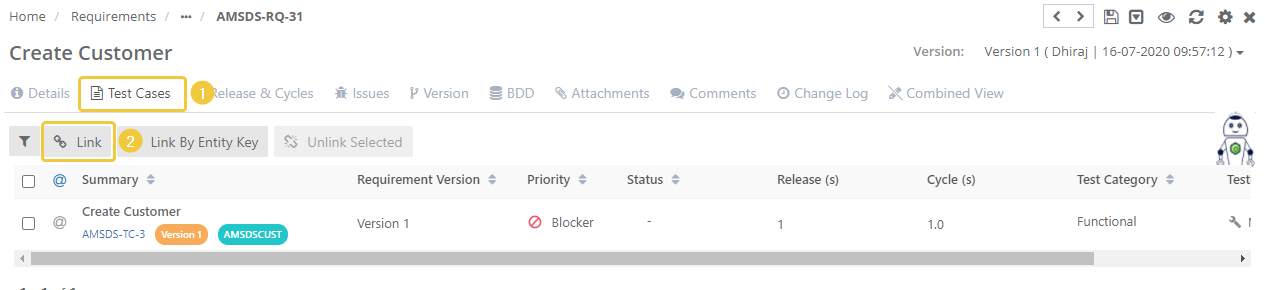
- Click on Link
- Click on Create Test Case
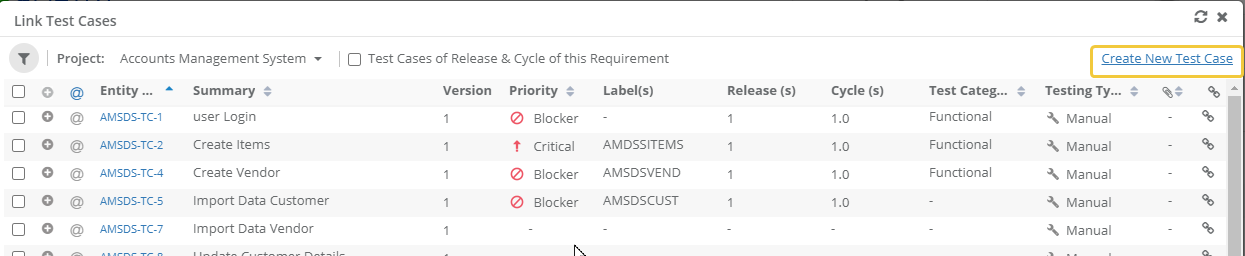
- This will open up the new tab in your browser to create Test Case.
- Once Test Case is created, you can go to the previous tab of your requirement.
- Click on the refresh button to reflect the Test case in Link Test Cases window.
- Select the Test Case to link.
- Click on Link/Link & Close.
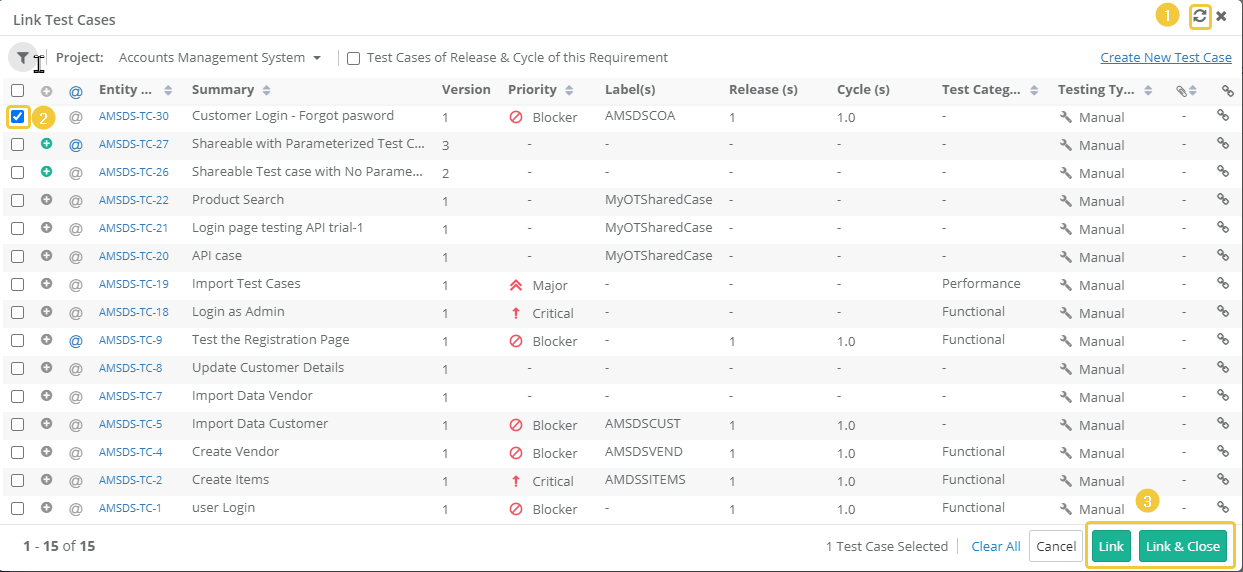
- This will create a Test Case and auto link to the requirement.
Back to QMetry All Products Help Page